 Professional support software for speech therapy
The platform that connects your clinic with the patient's home.
Track your patients' progress, assign gamified language exercises for home practice and get automatic evolution reports, all in a simple way.
Designed in collaboration with language and neurodevelopment professionals
The professional challenges we solve
SpeakiKids helps optimise the three main barriers that slow down speech and language results.
1. Regular practice at home
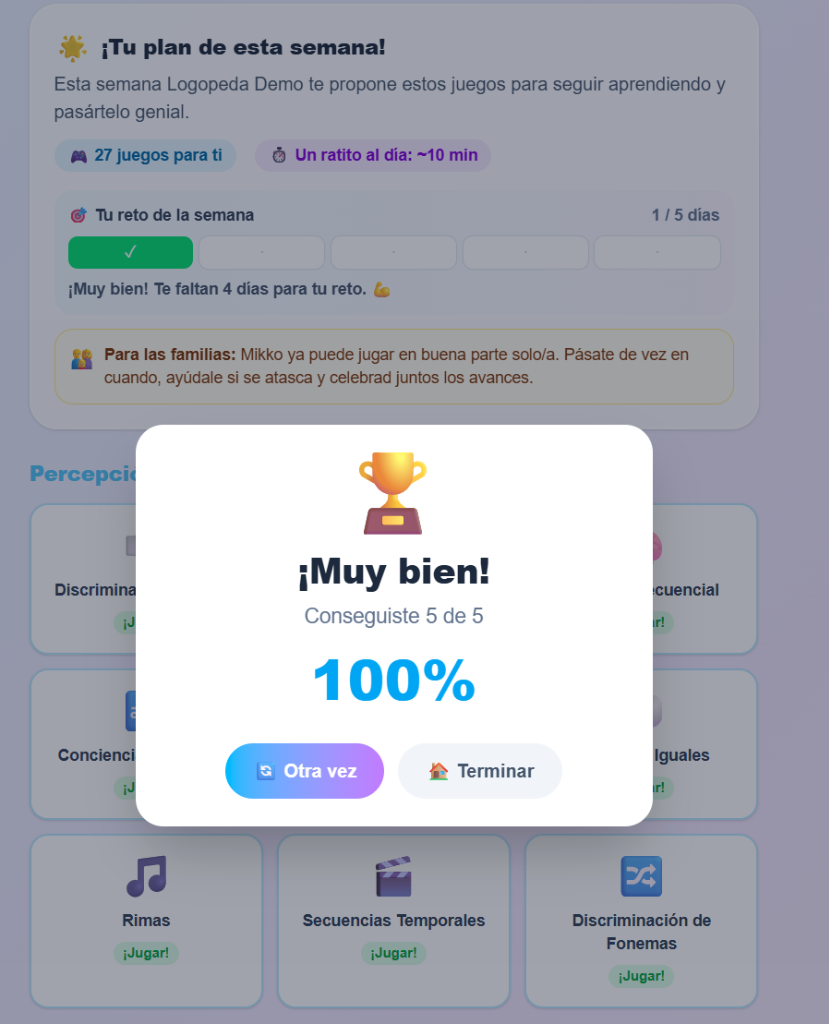
Children get bored of printed worksheets and parents don't always have the right guidance. With SpeakiKids, children practise by playing 10 minutes a day on their own.
2. Objective progress data
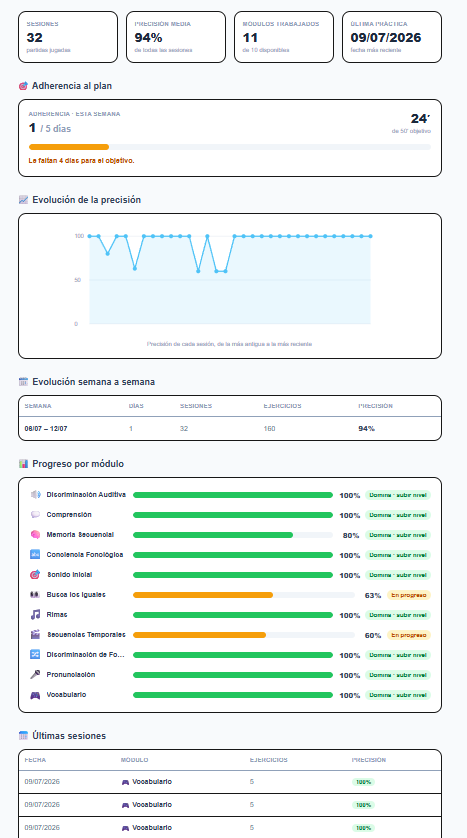
Stop estimating progress. In your panel you get automated statistics on accuracy percentage, attempts and the evolution of the phonemes worked between sessions.
3. Save administrative time
Writing up each patient's progress eats valuable hours. SpeakiKids generates automated reports downloadable as PDF, ready for families or other specialists.
Professional panel tools
Keep methodological control at all times. SpeakiKids adapts to your criteria, not the other way around.
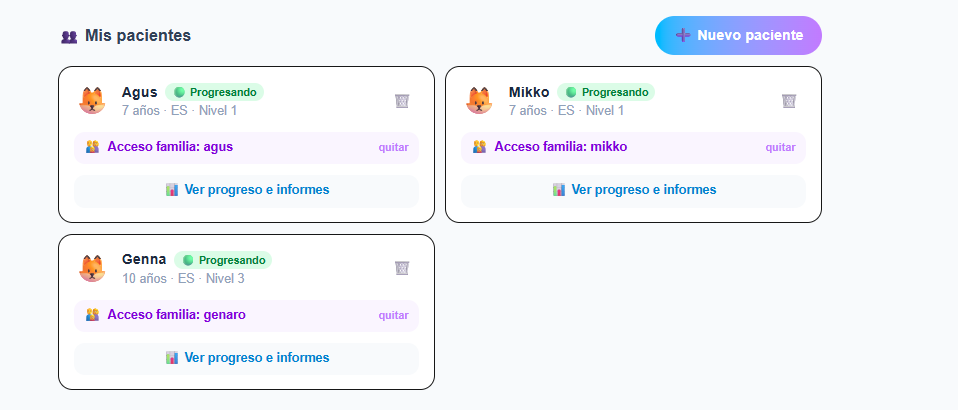
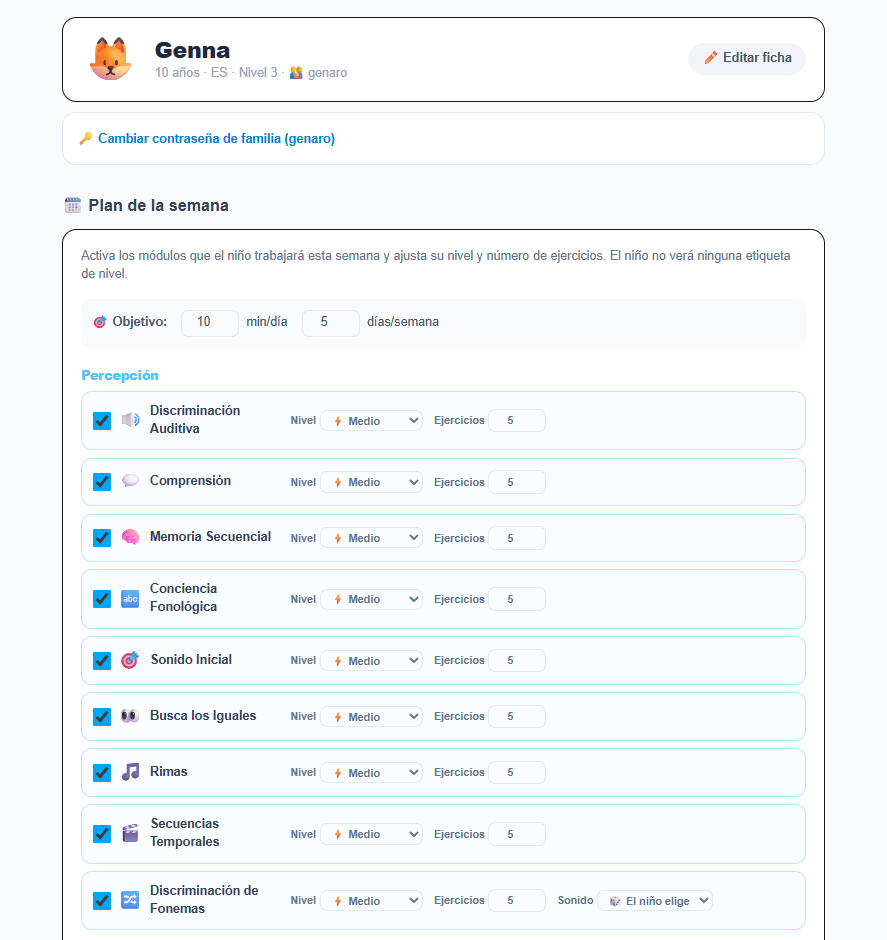
Weekly exercise assignment
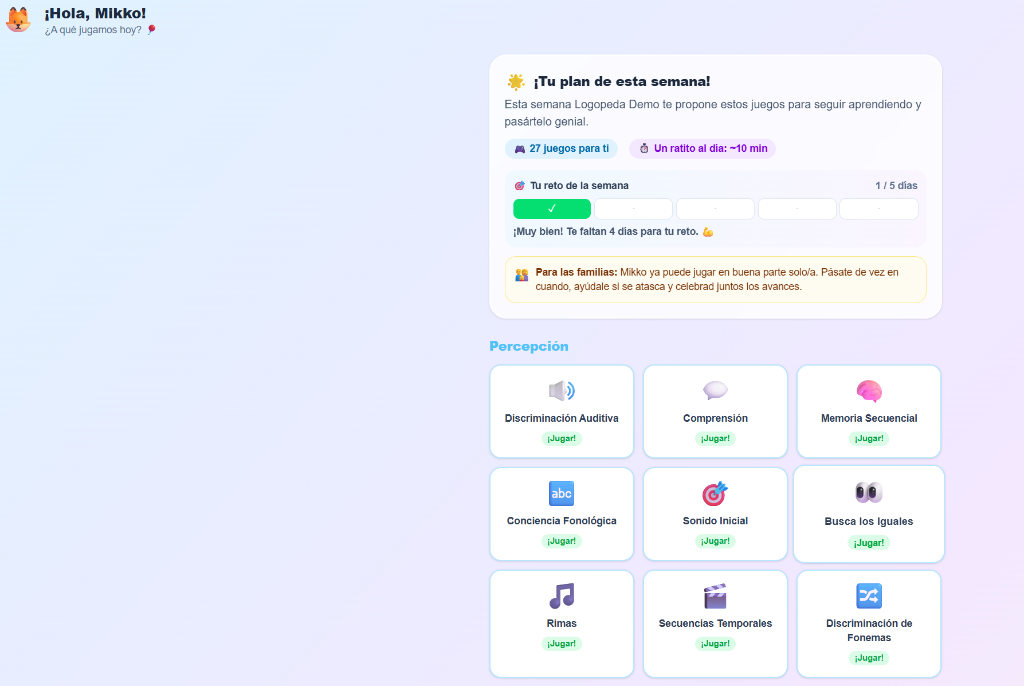
Assign the specific modules you consider appropriate and set daily play-minute goals for home reinforcement.
Adaptation by level and language
Quickly configure each patient by age and linguistic maturity level in 4 different languages (EN, ES, IT, CA).
Secure evolution history
Safely store the session results of all your patients and view their progress clearly and in full compliance with data privacy.
Detailed, automatic progress charts
Every time the child practises at home, the system collects performance data to present it visually and in a structured way in your panel.
Accuracy history of each session
Visualise learning curves over time to check the assimilation of the sounds and words worked on.
Weekly adherence control
Check whether the family follows the assigned plan (days played and accumulated minutes).
Breakdown by language area
See at a glance which skills (auditory discrimination, comprehension, rhymes...) are consolidated or need more work.
Library of support and play modules
Interactive games designed to stimulate different areas of speech, language and cognitive processing.
Pronunciation and Articulation
Repetition exercises with a microphone where voice recognition helps the child modulate and practise independently.
Auditory Discrimination
Sound differentiation through minimal pairs of acoustically similar words to improve perceptual acuity.
Reading & Writing Support
Exercises designed with high-legibility fonts, increased spacing and word-shape analysis.
Sequential Auditory Memory
Auditory and emoji pattern games that strengthen working memory and language structure.
Phonological Awareness
Stimulating syllable counting (claps), recognising initial sounds and finding rhymes.
Fluency and Rhythm
Guided breathing cues with visual metronomes and interactive controlled-speed reading.
How it fits into your daily practice
An agile process in three simple steps that boosts the work in the clinic.
Set up in the clinic
You register the patient from your panel, select their starting level, language and set their weekly goals.
The child practises at home
The family signs in with their credentials and the child plays the assigned exercises 10 minutes a day.
You analyse the evolution
You review the play-time and accuracy data in your panel before their next in-person session.
Start free, no commitment
Try the full platform for 30 days. No credit card and no lock-in.
Free trial
- ✓ Full access to the platform
- ✓ Patient registration and weekly plans
- ✓ Evolution reports in PDF
- ✓ No credit card
Professional plan
- ✓ Unlimited patients
- ✓ All modules and 4 languages
- ✓ Unlimited reports
- ✓ Priority support
We answer your questions
Do I need to install anything to use SpeakiKids?
No. SpeakiKids works directly from the browser, both in your clinic and at the family's home. You can also install it as an app on mobile or tablet from the browser itself, without going through any app store.
What ages and difficulties is it designed for?
It is designed for working with children in preschool and primary-school age. It covers articulation and pronunciation, auditory discrimination, phonological awareness, comprehension, sequential memory and reading & writing support.
Which languages is it available in?
In four: English, Spanish, Italian and Catalan. The child's interface appears in the language you assign to each patient, and your professional panel adapts to your own language independently.
How is minors' data protected?
Data is stored encrypted and access is segmented: each family only sees their own child's information and only you, as the professional, manage the records. Processing complies with the GDPR for the protection of minors' data.
What does the free trial include?
30 days of full access to the platform, without entering a credit card. You can register patients, assign exercises and view evolution reports to assess whether it fits the way you work.
Not the right time yet?
Leave us your email and we'll let you know about news and the launch of the plans. No spam.
By submitting you agree that we use your email only to notify you about the launch and news. You can unsubscribe at any time. More details in the privacy policy.
Optimise your patients' evolution today
Sign up and enjoy 30 days of trial with no patient limits. No credit card.